Does the Amazon Echo (4th Gen) Have Thread? Yes — Here's How
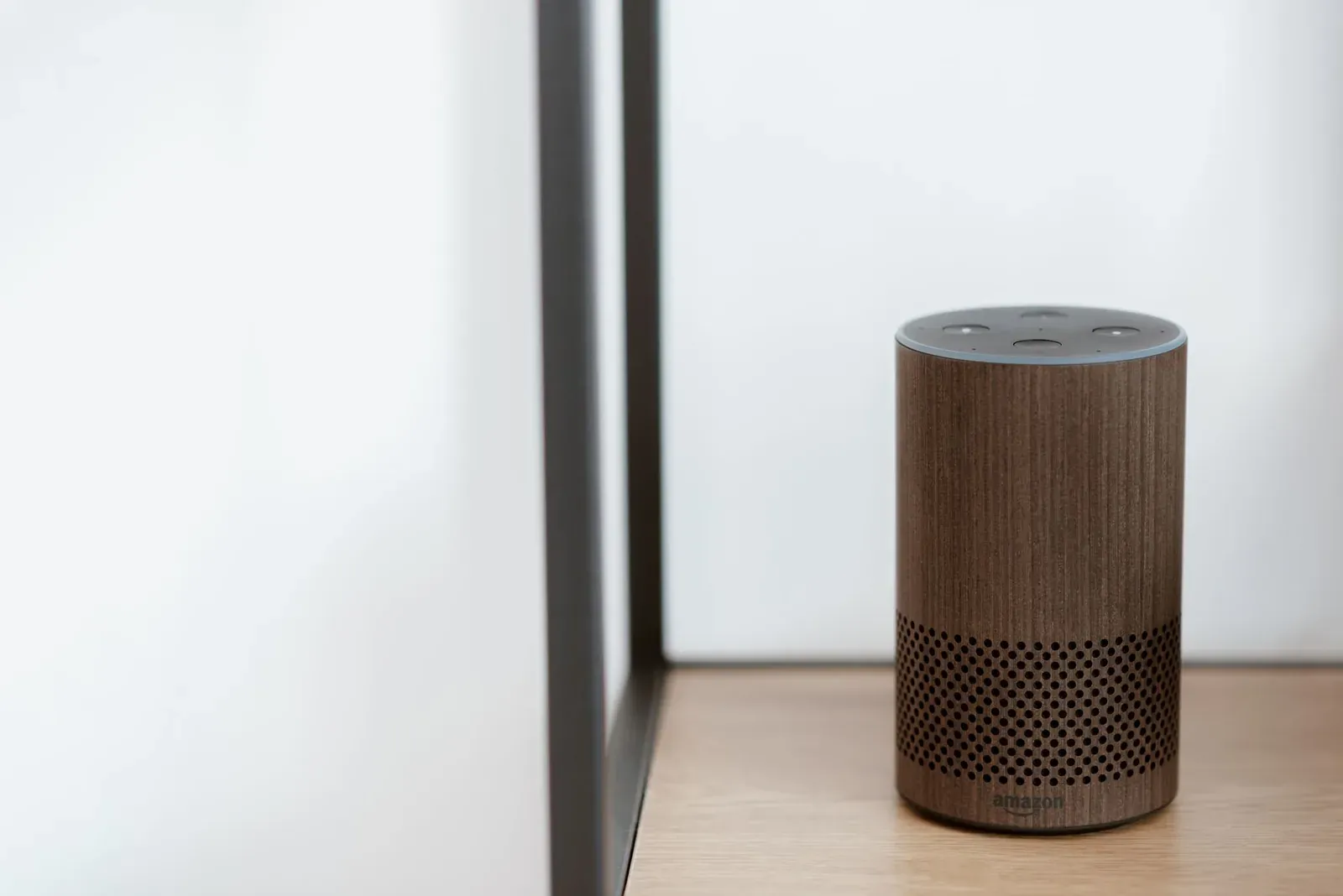
Yes. The spherical Amazon Echo (4th Gen), released in 2020, has a built-in Thread radio, and Amazon has enabled it to work as a Thread border router. That means once it's set up and connected to your Alexa account, it can help form and route a low-power Thread mesh network for compatible Matter devices, no separate hub required. The radio was dormant at launch and switched on through later software updates, so if your Echo is current, the capability is already there in the background.
What "has Thread" actually means here
Thread is a low-power wireless mesh protocol, similar in spirit to Zigbee but built on standard internet (IPv6) addressing. On its own, a Thread device can only talk to other Thread devices on the same mesh. To reach your phone, Alexa, or the internet, the mesh needs a border router — a device that bridges the Thread network to your regular Wi-Fi and home network. If you're new to the concept, our explainer on what a Thread border router is covers the fundamentals.
The 4th-gen Echo plays that border-router role. It's not a Thread device you control; it's the piece of infrastructure that lets small, battery-friendly Thread sensors and locks join your network and become controllable through Alexa. Because Thread is a core transport for Matter, this is really about Matter over Thread support.
Which Echo models have Thread — and which don't
This is the part that trips people up. Not every Echo with a smart-home radio has Thread, and the naming doesn't make it obvious. In general terms at time of writing:
| Device | Zigbee hub | Thread border router |
|---|---|---|
| Echo (4th Gen), spherical | Yes | Yes |
| Echo Hub (wall panel) | Yes | Yes |
| Echo Show 10 (3rd Gen) | Yes | Yes |
| Echo Dot (any gen) | No | No |
| Echo (3rd Gen and earlier) | No | No |
Amazon has confirmed Thread capability on the 4th-gen Echo and a handful of other models, but the exact list shifts as new hardware ships and older units receive firmware. The safest check is to look at your specific device's detail page in the Alexa app, where a supported Echo will list Matter and Thread among its capabilities. Our roundup of Thread border routers you may already own is worth a look before you buy anything new — you may already have one.
How to use the Echo's Thread border router
The good news is that there's no Thread menu to hunt for and no network to configure. Thread runs quietly underneath Matter. You never "turn on Thread" — you simply add a Matter device, and if it's a Thread device, your Echo handles the mesh side automatically.
- 1Make sure your 4th-gen Echo is online and updated in the Alexa app
- 2Put your Matter over Thread device into pairing mode
- 3In the Alexa app, add a device and choose the Matter/Add Device flow, then scan the Matter QR or numeric code
- 4Let the Echo commission the device onto the Thread mesh and confirm it appears in your device list
During that flow, Alexa reads the Matter setup code, joins the device to the Thread network your Echo maintains, and registers it to your account. If the code is missing or won't scan, our walkthrough on how to find or reset a Matter pairing code can help.
A few realities worth knowing
The Echo's border router is genuinely useful, but it isn't a complete Thread strategy on its own. A couple of points set expectations:
- Ecosystem walls still exist. A device commissioned to Alexa through the Echo isn't automatically usable in Google Home or Apple Home. To use it across platforms you rely on Matter's multi-admin feature — see sharing a Matter device across Alexa, Google, and Apple Home and our deeper look at Matter multi-admin.
- Multiple border routers can coexist. If you also own a HomePod mini, Apple TV, or Nest Hub (2nd Gen), each may run its own Thread network. Ideally these merge into one credential set, but in mixed-brand homes they sometimes don't, which can create separate "islands."
- Placement matters. Thread is a mesh, so a border router near the center of your home, not tucked in a closet, gives sensors better routing. Our notes on checking Thread network health explain how to gauge signal.
Thread through the Echo vs. adding devices over Wi-Fi
- Low power — ideal for battery sensors and locks
- Self-healing mesh that extends range through other Thread devices
- Needs a border router like the 4th-gen Echo
- No border router needed — joins Wi-Fi directly
- Higher power draw, better for plug-in devices
- Can add congestion to a busy 2.4 GHz Wi-Fi network
Neither is strictly better; they suit different devices. For a fuller breakdown, see Matter over Wi-Fi vs. Thread.
Frequently asked questions
Do I need to enable Thread on my Echo?
No. There's no manual switch. Thread activates behind the scenes when you commission a Matter over Thread device through the Alexa app. If your 4th-gen Echo is online and updated, the border router is already available.
Can the 4th-gen Echo be my only Thread hub?
For an Alexa-centric home, yes — it can form and maintain a Thread network for your Matter devices. If you also use Apple or Google ecosystems, you may want their border routers too, and you'll lean on Matter multi-admin to share devices.
Does the Echo's Thread work without internet?
The Thread mesh itself is local, but Alexa control generally depends on the cloud, so most voice commands and app actions need internet. Our article on whether Matter devices need the internet explains the nuance.
Is Thread the same as the Echo's Zigbee hub?
No. The 4th-gen Echo has both radios. Zigbee connects certain older smart-home gadgets directly to Alexa; Thread carries Matter devices. They're separate networks living in the same box. For background, see Thread vs. Zigbee.